If you’re outside Australia, you won’t be able to download or watch Stan on Apple TV. This can be frustrating because even if you already have a Stan account, you won’t be apple to find Stan on the AppStore.
The good news is there’s an easy way to watch Stan on Apple TV anywhere in the world.
In this article, I’ll show you how I do it in my home country, New Zealand.
How to watch Stan on Apple TV outside Australia: Guide
Total Time: 2 minutes
Make an Australian-based iCloud account
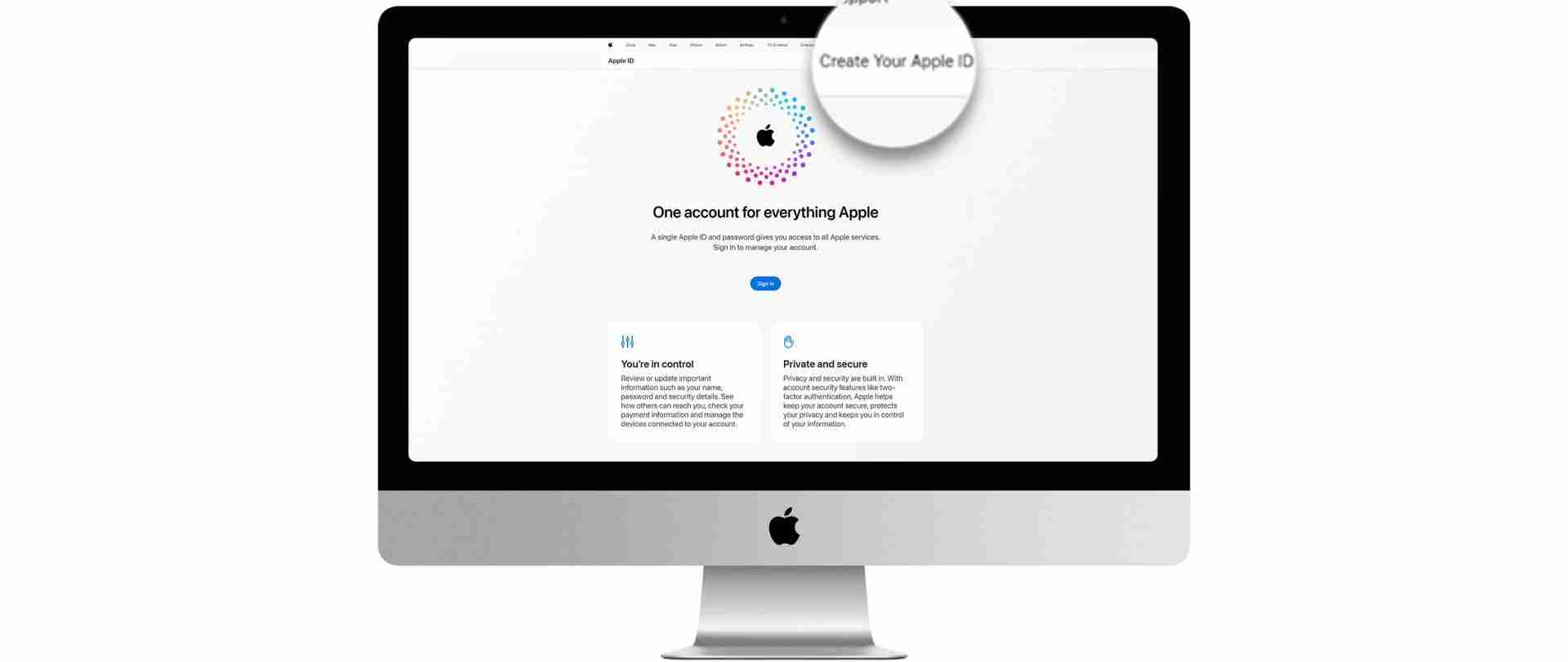
Begin by making an iCloud account that is based in Australia. This step is important because it allows you to access apps and content that are available exclusively in Australia. You can watch a video on how to do this here.
Connect to your Australian iCloud account on Apple TV
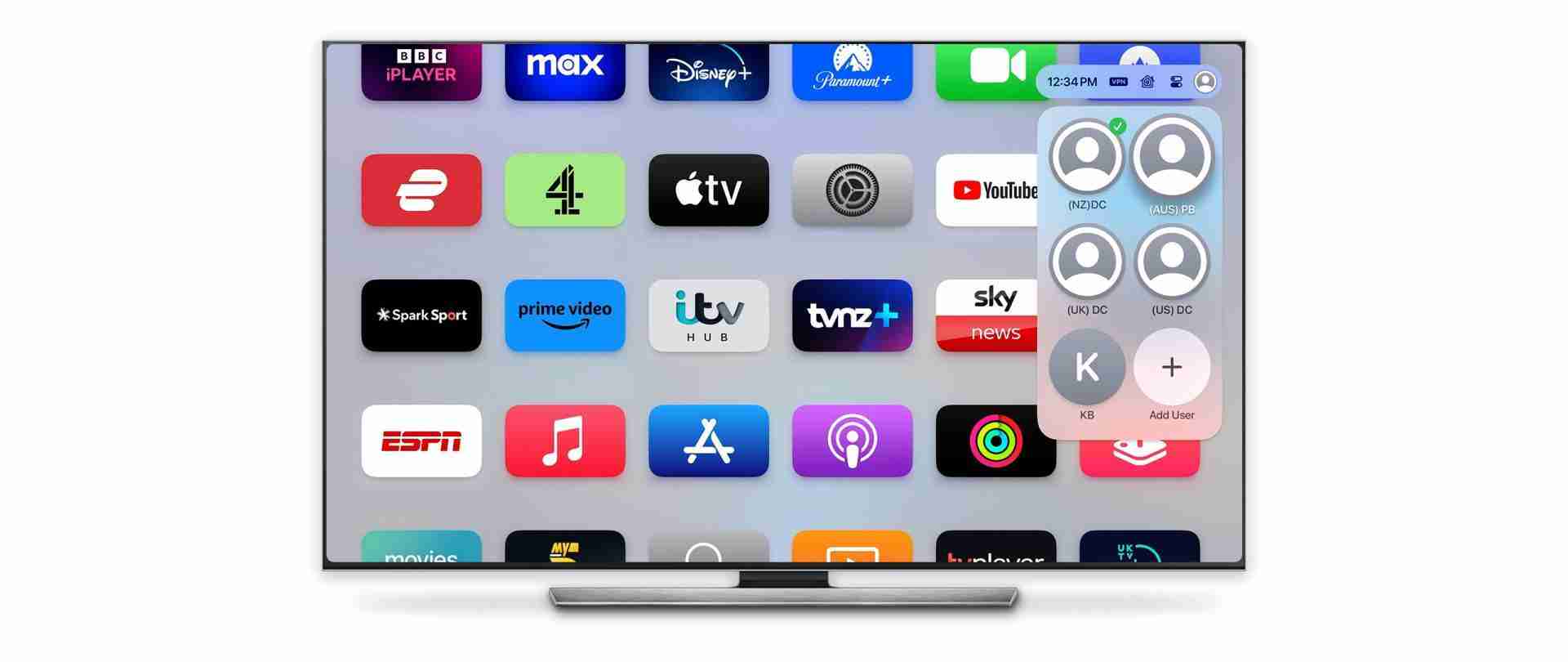
After creating your Australian-based iCloud account, connect your Apple TV to this account. This action aligns your device with the Australian digital ecosystem, enabling access to Australia-specific content.
Download Stan on Apple TV
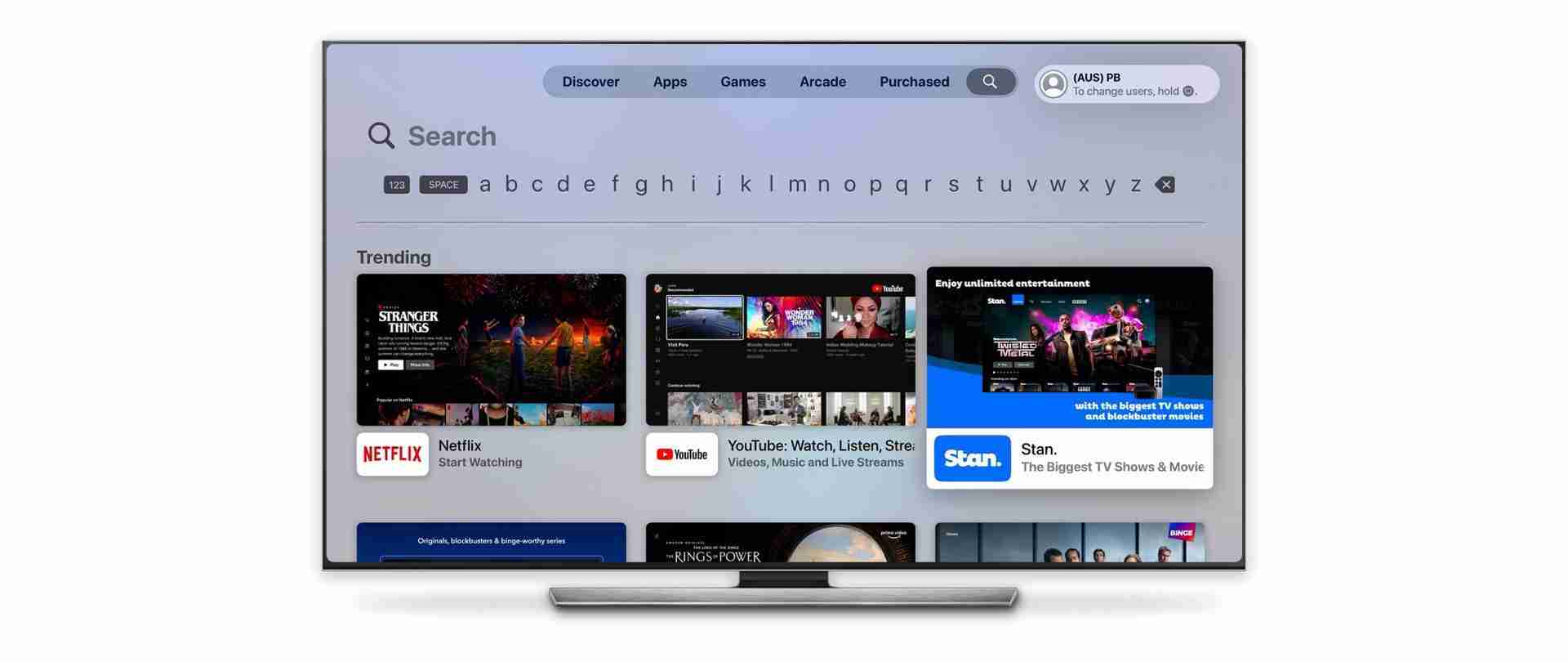
Search for the Stan app on your Apple TV AppStore and download it.
Sign up with ExpressVPN or NordVPN
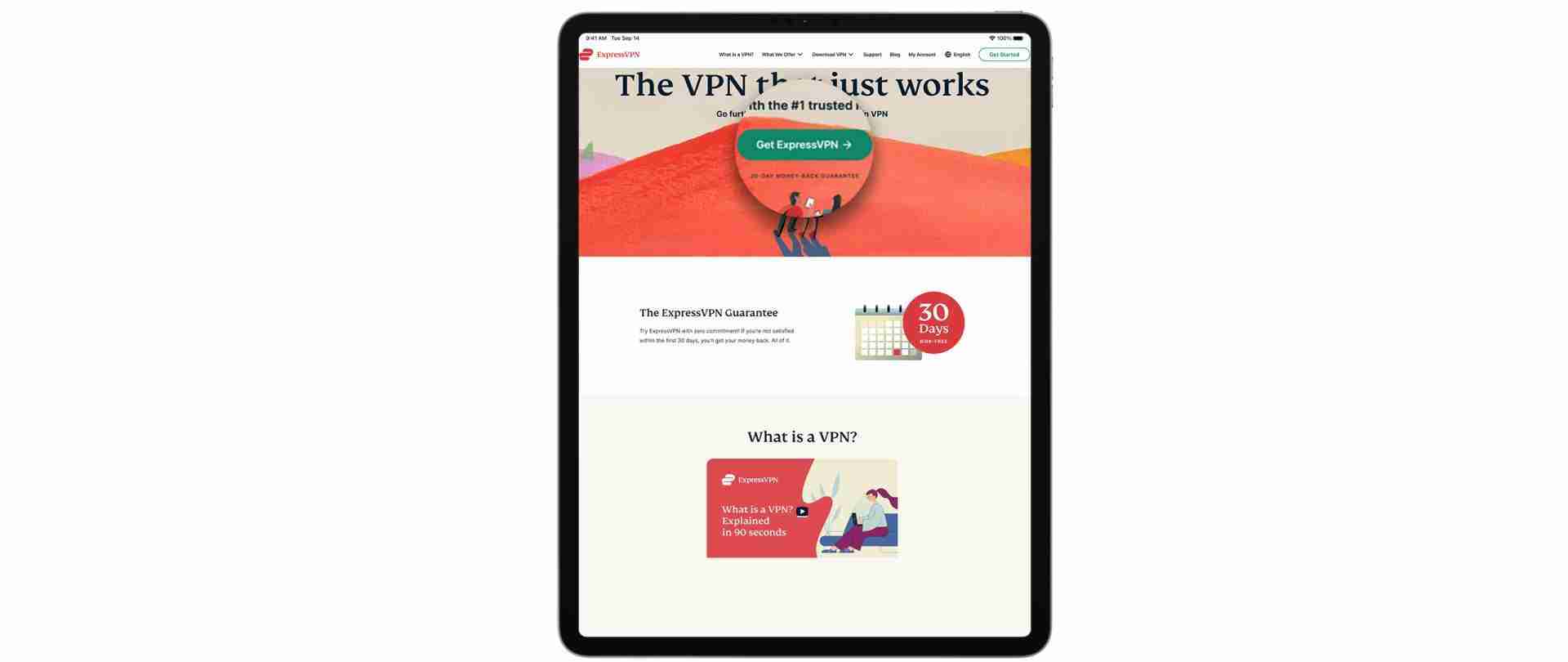
Register for an account with ExpressVPN or NordVPN. If you want the very best, these VPNs have been setting the standard in the industry for years. They’re the best VPNs on the market for reliably streaming content.
ExpressVPN and NordVPN are renowned for their reliable and fast connections, which is crucial for streaming high-quality content without buffering or interruptions. You can get 3 months of an ExpressVPN subscription for free here. And similarly, you can get 3 months of a NordVPN subscription for free here.
Download ExpressVPN or NordVPN on Apple TV and sign in
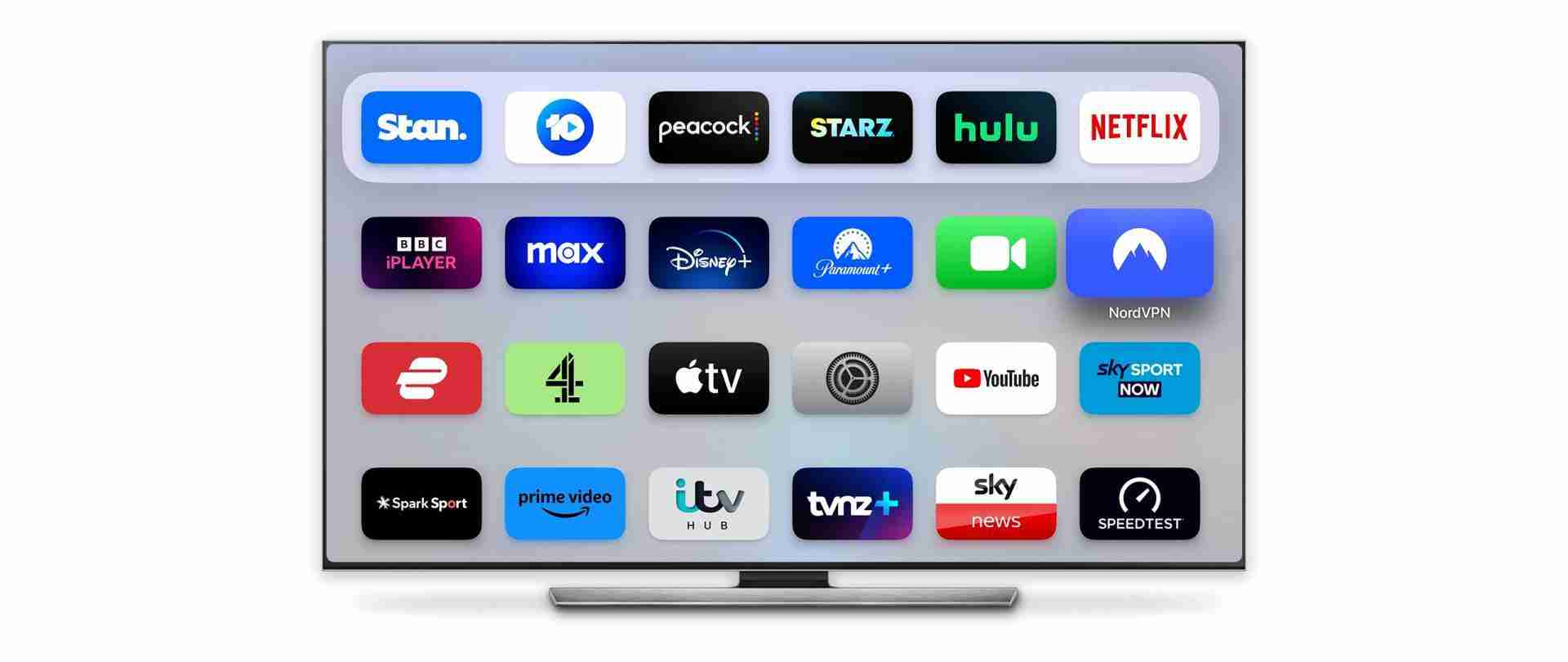
Install the ExpressVPN/NordVPN app on your Apple TV and log in with your credentials. This step is essential for masking your actual location and making it appear as if you’re accessing the internet from within Australia.
Connect to an Australian server
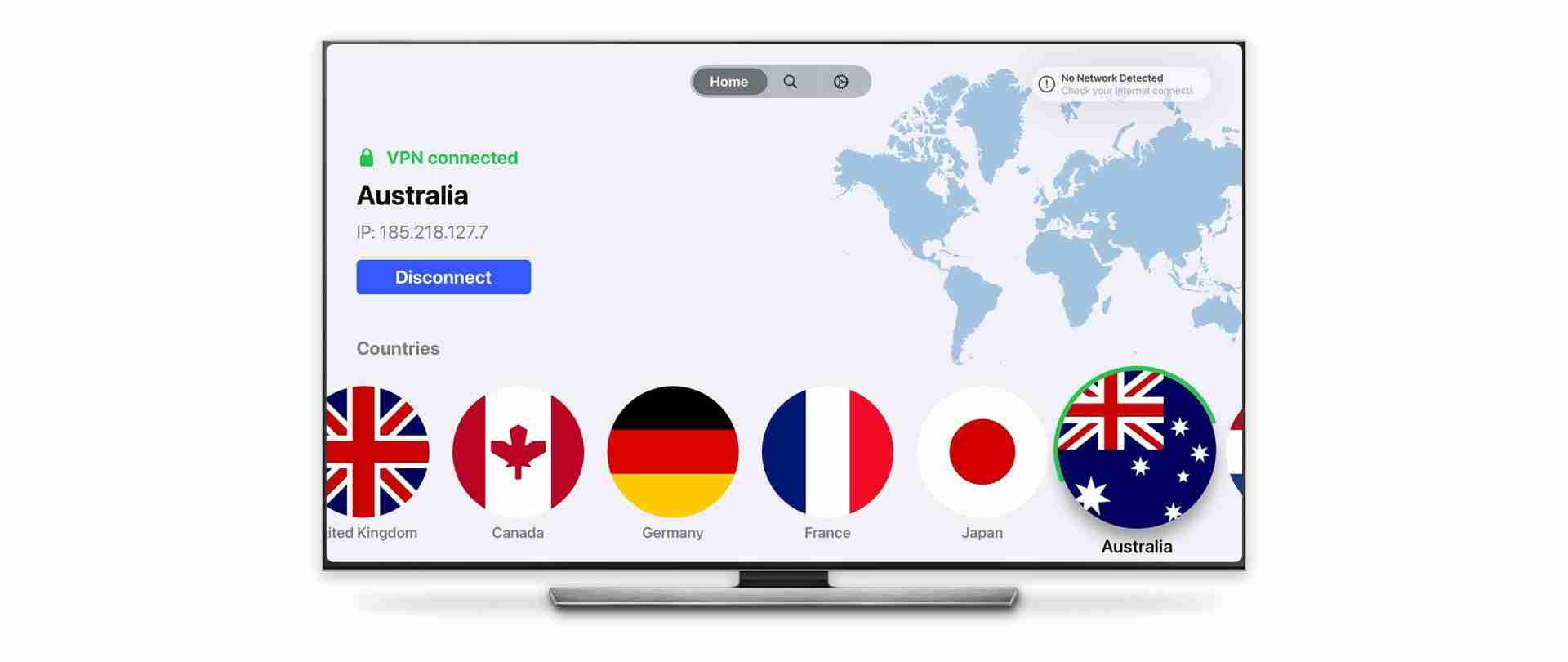
Inside the ExpressVPN/NordVPN app, connect to a server located in Australia. This connection will make it appear as though your internet access is coming from within Australia, which is necessary for accessing Australia-restricted content.
Watch Stan on Apple TV anywhere in the world

Once connected to an Australian server through ExpressVPN or NordVPN, you can start watching Stan on your Apple TV. Enjoy your access to a wide range of content that is typically restricted outside Australia.
How to watch Stan on Apple TV outside Australia: Video Guide
Why can’t I watch Stan on Apple TV outside Australia
Stan is a streaming service that is available exclusively in Australia. It offers a variety of TV shows, movies, and original content, but due to licensing agreements and content rights, it is geographically restricted to users within Australia. This is why you can’t watch Stan on Apple TV or any other device outside Australia.
Streaming services like Stan often have strict licensing agreements with content producers that limit the distribution of their content to specific regions or countries. These restrictions are enforced through geo-blocking technology, which detects and blocks access from IP addresses outside the designated area.
Because of these restrictions, you won’t even be able to find Stan on the AppStore let alone watch any of its content. That is unless you use a reliable VPN to gain access to the streaming service anywhere in the world.
Why do I need a VPN to watch Stan outside Australia?
To watch Stan outside Australia, you need a VPN because:
Geo-Restrictions: Stan is only available in Australia due to licensing agreements. It uses geo-blocking technology to prevent access from outside Australia.
IP Address Masking: A VPN hides your real IP address and gives you an Australian IP address. This tricks Stan into thinking you’re accessing it from within Australia.
Overcoming Licensing Limits: Stan’s content is licensed for distribution only in Australia. A VPN helps bypass these regional restrictions.
Will any VPN work for watching Stan outside Australia?
To watch Stan outside of Australia, it’s important to choose a VPN that can effectively bypass geo-restrictions and avoid detection by streaming services.
Not all VPNs can do this well. A good VPN for streaming Stan should provide Australian IP addresses, be adept at circumventing geo-blocking technologies, and have a track record of avoiding detection by services like Stan. Additionally, it should offer fast and reliable connections for smooth streaming, and have servers located in Australia.
Which VPNs work with Stan on Apple TV?
| ExpressVPN | NordVPN | PIA | Ivacy | CyberGhost | |
| Stan | ✅ | ✅ | ✅ | ✅ | ✅ |
| Download Speed | 79 Mbps | 71 Mbps | 27 Mbps | 31 Mbps | 41 Mbps |
| Throttling | 79% | 71% | 27% | 31% | 41% |
| Stream quality | ⭐️⭐️⭐️⭐️⭐️ | ⭐️⭐️⭐️⭐️⭐️ | ⭐️⭐️⭐️ | ⭐️⭐️ | ⭐️⭐️⭐️ |
| Price per month | $6.66 | $3.79 | $2.03 | $1.00 | $2.19 |
The VPN services we recommend for Stan
1. ExpressVPN 🥇
The fastest and most reliable VPN of 2025
- ✔160 servers in 94 countries
- ✔24/7 Live Chat
- ✔8 simultaneous connections
- ✔New Apple TV app
- ✔30-day money-back guarantee
- ❌Expensive
- ❌No Password Manager
- ❌No Meshnet
- ❌No Dedicated IP

Streaming: ExpressVPN has been the best VPN for several years. What makes it better than the competition is its reliability with streaming services.
Servers: ExpressVPN is one of the best VPNs in this regard, with servers based in 94 countries around the world. This is well above the 71-country average and is second only to HMA’s massive 218 supported countries.
Privacy: For privacy-conscious users, ExpressVPN also opens itself up to regular, and rigorous, third-party zero-log audits to prove its claims. You can find out a detailed list, and the results, of its Security Audits here.
Price: ExpressVPN has three payment options, a 1-month option costing $12.95/month, a 6-month option costing $9.99/month or a 12-month option costing $6.67/month. It accepts all major credit cards, PayPal, Bitcoin, and a variety of other payment systems.
Speeds: Below is a table that gives you an idea of the percentage drop-off you can expect when using ExpressVPN. From our tests, we got a 12-15% drop – which is very good from our test location (New Zealand).
| Download Speeds (Mbps) | Upload Speeds (Mbps) | |
| No VPN (New Zealand) | 937.07 | 520.93 |
| ExpressVPN US server | 824.62 | 6.96 |
| ExpressVPN UK server | 794.95 | 3.70 |
Read our full ExpressVPN review.
Special Offer for you!
(30-day money-back guarantee)
2. NordVPN $3.19/month
An incredibly fast and trustworthy VPN
- ✔Fast connection speeds
- ✔5,500+ servers in 59 countries
- ✔6 simultaneous connections
- ✔Free Meshnet + Password Manager
- ❌No free version
- ❌Complex interface for beginners

Streaming: NordVPN is great for accessing streaming services, with top-notch security, fast connections, and easy access to geo-blocked shows and movies.
Servers: NordVPN has servers in 60 countries. While this is low compared to the 71 country average, the servers it has are very fast and reliable.
Privacy: NordVPN emphasises its commitment to user privacy by consistently undergoing independent audits to validate its no-logs policy. Detailed reports and findings from these security audits are readily accessible for users seeking transparency and assurance.
Price: NordVPN provides several payment options for its standard package: a monthly plan at $12.99, a yearly plan at $4.99/month per month, and a two-year plan at $3.19/month. You can also opt for other packages that come with added features like Malware Protection, AdBlocker, a Cross-Platform Password Manager, a Data Breach Scanner, 1TB of Cloud Storage and file encryption software.
Speeds: Below is a table that gives you an idea of the speeds you can expect when using NordVPN:
| Download Speeds (Mbps) | Upload Speeds (Mbps) | |
| VPN off (New Zealand) | 937.07 | 520.93 |
| ExpressVPN US server | 824.62 | 6.96 |
| ExpressVPN UK server | 794.95 | 3.70 |
Read our full NordVPN review.
Special Offer for you!
(30-day money-back guarantee)
3. Private Internet Access $2.03/month
An affordable, reliable VPN
- ✔Robust AES-256 encryption
- ✔Over 35,000 servers globally
- ✔Built-in ad and malware blocking
- ✔10 simultaneous connections
- ❌Can have slower speeds
- ❌Basic app interface

4. Ivacy $1.00/month
A trustworthy and affordable VPN
- ✔Cost-effective pricing
- ✔Intuitive app design
- ✔Strict no browsing logs policy
- ✔Allows up to 10 simultaneous connections
- ❌Smaller server network compared to others
- ❌Lacks some advanced settings
- ❌Basic live chat support

5. CyberGhost $2.19/month
A solid VPN package
- ✔Supports 7 devices simultaneously
- ✔Strong encryption standards
- ✔Large selection of servers
- ✔Generous 45-day money-back guarantee
- ❌Variable connection speeds
- ❌Pricier than some rivals